How to reset your washing machine
By Evan Crowther•Last updated Jul 24, 2023
Last updated Jul 24, 2023
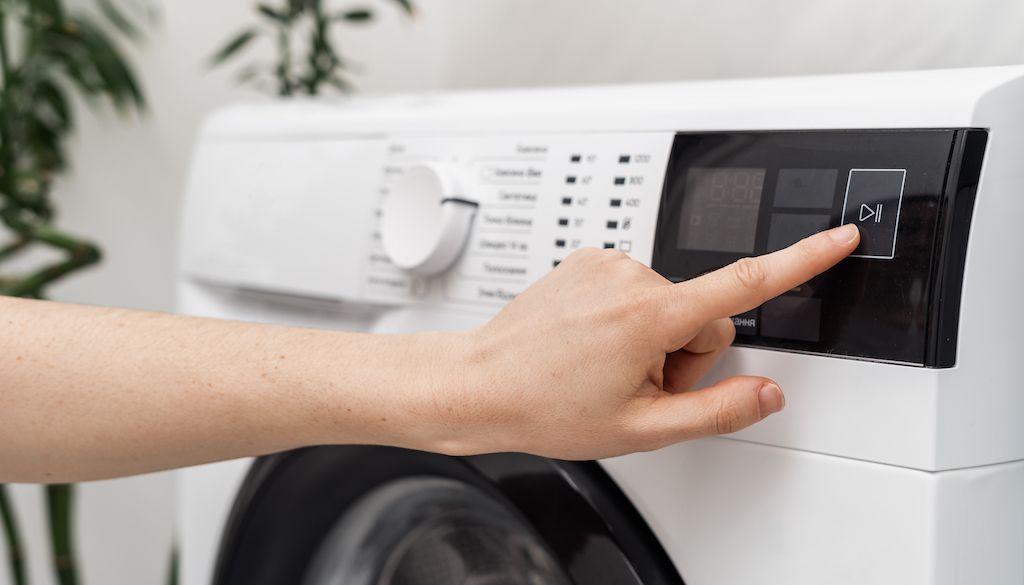
As washing machines come equipped with more smart features, functions like resetting become more important.
Like computers and smartphones, many modern appliances have onboard computers that can run into software issues. In some cases, performing a reset can help you fix your washer and clear error codes. However, the process for resetting washing machines differs depending on the model and brand.
In this guide, you’ll learn how to reset your washing machine when it’s necessary and when to avoid a reset.
When to reset your washing machine (and when you shouldn’t).
Resetting your washing machine can help you narrow down what the problem is. It can be a useful part of troubleshooting your machine. As with many electronic devices, restarting the machine is often a simple fix for certain issues. Power spikes or an unbalanced load can sometimes trigger errors that a reset will fix.
However, there are some situations where resetting won’t help. Generally, resetting a machine will only help with programming issues. If the problem with your washer isn’t electronic, a reset won’t fix it. In these cases, you should hire a professional.
You should also avoid resetting the washer if you’ve already tried it and it still doesn’t work properly. Resetting again will temporarily clear error codes, which can make it harder for a technician to diagnose the issue.
Where is the reset button on a washer?
Never seen a reset button on your washer’s control panel? That's not surprising.
The truth is, most washers don’t have a button to reset the washer. Instead, they often use a control sequence to initiate a power cycle. This process usually has the same effect as resetting a machine.
It’s also important to note that the sequence may vary between top-load and front-load washers.
Tips for resetting washing machines by brand.
Different brands of machines use different button sequences and procedures to reset a washer. Every machine is different, and you should always consult your washer’s manual for specific directions.
How to reset a Whirlpool washing machine.
Most Whirlpool washing machines don’t have a dedicated reset button. Instead, some have specific combinations of dial movements or buttons you need to push. Consult your washer's manual for your model's reset procedure.
You can also generally reset a Whirlpool washer with a power cycle. Unplug the washer, hold the START/PAUSE button for five seconds, then plug it back in. You should hear some clicking sounds as the machine boots back up.
How to reset an LG washing machine.
An LG washing machine also requires a power cycle to reset. Use the power button to turn the machine off, then unplug the power cable. While the machine has no power, hold the START button (some machines have START/PAUSE buttons) for five seconds. Then plug your machine back in and it should reboot.
How to reset a Samsung washing machine.
A Samsung washing machine doesn’t have a reset function. The only option is to unplug the machine, give it 1 to 5 minutes for the electrical charge to clear, then plug it back in. This process will clear any error codes.
Here are more tips for resetting your Samsung washer. If your problem doesn’t go away after troubleshooting, you should hire a pro.
How to reset a GE washing machine.
GE washing machines require a power cycle to reset as well. A GE washer has no reset button, but check for a timer control knob. If you see one, turn the knob around to any position besides “final spin” while the machine is unplugged.
How to reset a Maytag washing machine.
While Maytag washers don’t have a reset button, there are a few options other than power cycling. You can reset your Maytag washer using this control sequence:
- POWER/CANCEL
- Choose a wash cycle to run
- START/PAUSE
Confirm you’ve reset the machine by spin cycling. If that doesn’t work, you can put it in standby mode. This process varies between different models, so check your product manual to be sure.
If resetting the machine doesn’t fix your problem, you should consider hiring an appliance repair professional.
How to reset a Kenmore washing machine.
Kenmore washing machines vary widely, with many top-load and front-load options. You should be able to reset most Kenmore washers by pressing STOP twice, then POWER. Once you choose a cycle, the reset should be complete.
If this doesn’t work, unplug it or disconnect the circuit breaker, wait five minutes, then power it back up.
Find a washing machine repair professional near you.
Resetting your washer can clear most error codes and typically fixes minor electronic issues. But if your problem doesn’t go away, it’s time to hire a washing machine repair professional.
Download Thumbtack today to start getting free cost estimates for your project.
FAQs.
How do you reset a washing machine that is stuck on the spin?
Your washer may get stuck on a spin cycle for a few reasons. There could be a problem with your door switch assembly or your drain hose. In some cases, the problem may be mechanical and require a replacement part.
Use the tips above to try resetting your washer, if needed.
Why is my washing machine not starting the cycle?
The most common reason your washer won’t start is that the door isn’t latching properly. Most washers won’t start if the door switch doesn’t send a signal that the door is latched.
Other electronic issues can prevent your machine from starting the cycle and typically require a reset.
How it works.

Search.
Browse profiles, see prices and use filters to find pros who match your project.

Chat.
Contact the pros you like to discuss project details.

Hire.
Check pro availability and book appointments right in the app.
Find local pros for your project
Tell us what you're looking for and we'll show you pros right for the job, with prices.